
QutritLogic P12 Librarian

v1.0.1 · Open source · Linux · Windows

P12 Librarian

Patch librarian for the Sequential (Dave Smith Instruments) Prophet 12 synthesizer. It backs up, browses, auditions, renames and restores programs over MIDI SysEx, and lets you tag patches and mark favourites to find them again. Free, for Linux and Windows.

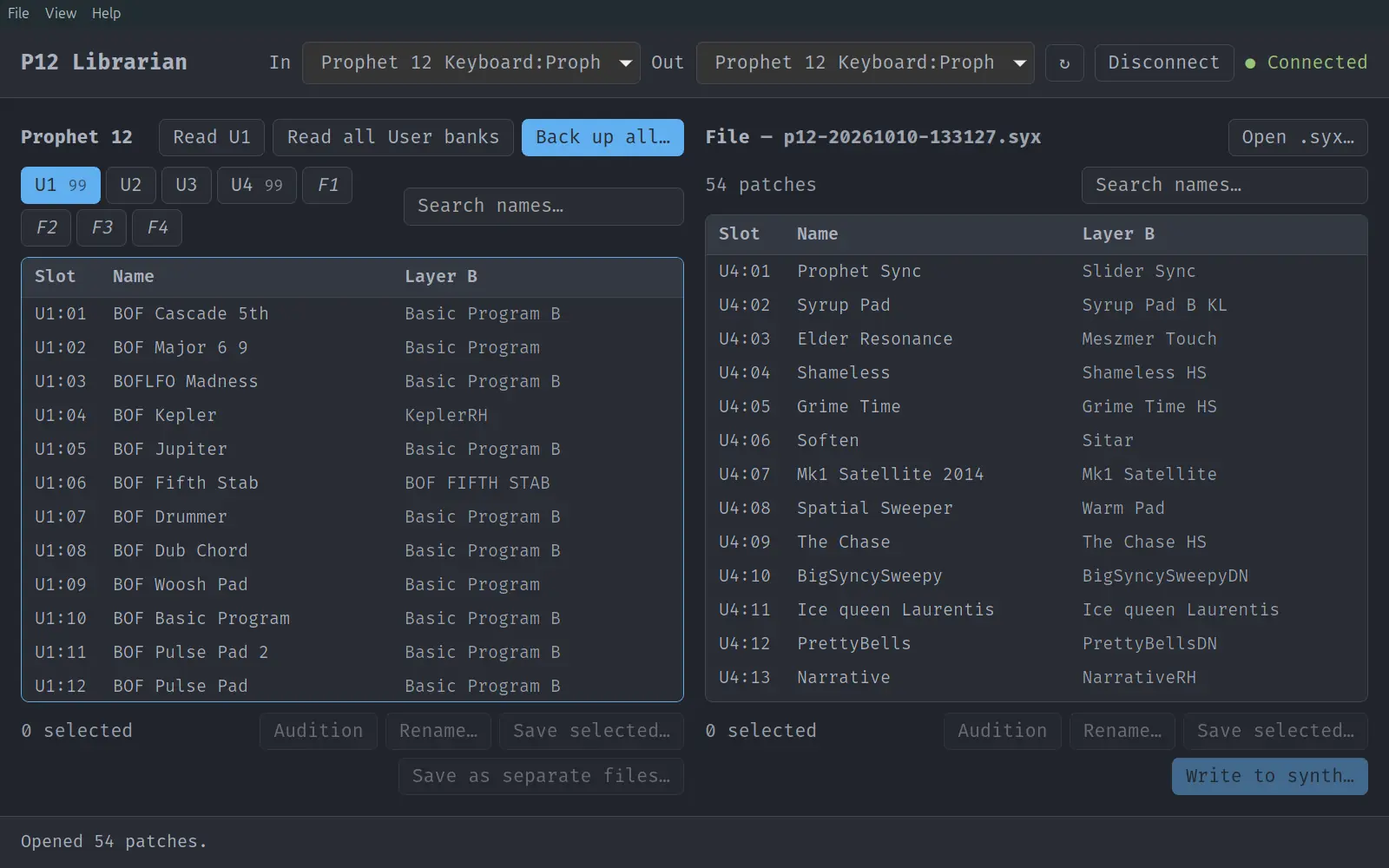
P12 Librarian window, connected to a Prophet 12 over USB: User bank U1 read from the synth on the left, a 54-patch .syx backup file open on the right.
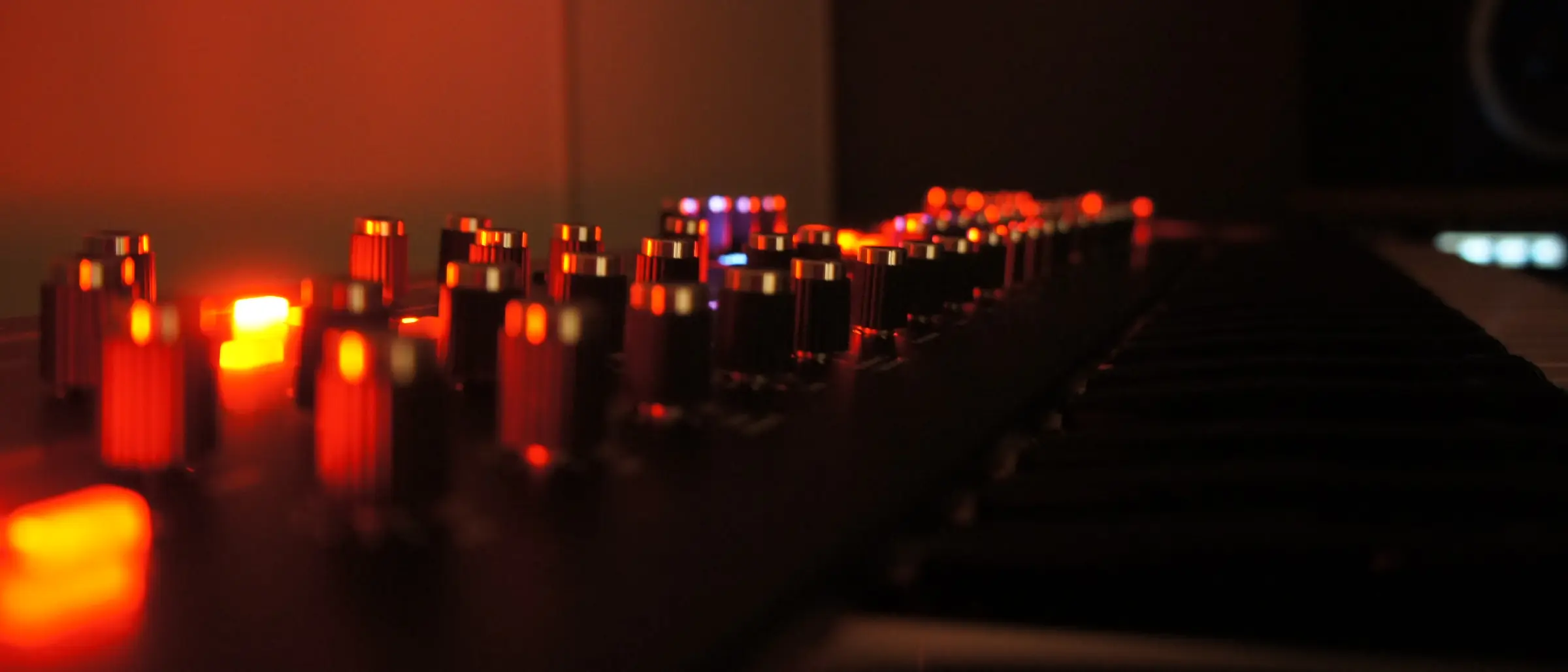
Close-up of the Prophet 12's knobs, lit red in a dark studio.
Prophet 12, in my studio

Features

Back up and restore

  • Back up one bank or all User banks to standard .syx files, as one file or one per program
  • Write patches by dragging them onto slots; drag within the synth to swap patches or to move them and shift the ones in between, Ctrl+drag to copy
  • Copy a patch into Layer B of an existing program
  • Rename patches, tidy names typed in capitals, and initialize slots with the Basic Patch
  • Re-read slots after saving an edit on the synth
  • Export bank sheets: a PDF to print, or CSV for a spreadsheet

Browse and audition

  • Browse and search all programs by name, including the Factory banks (read-only); sort by slot, name or Layer B
  • Audition patches without storing them; a note is played so you hear each one
  • Connects by itself when the synth is plugged in or switched on
  • Keyboard navigation, 11 colour themes, 4 fonts, and a PDF user guide (F1)
  • Command-line tool p12 for scripts and scheduled backups (Linux version)

Tags and favourites

  • Tag patches with your own tags, such as Pad, Bass or Lead; several at once with T
  • Find them with #pad in the search box, or click a tag; combine with name words
  • Mark favourites with ☆ or F; the ★ button shows only favourites
  • Tags follow the sound: they stay with a patch when it's moved, renamed, saved to a file or edited on the synth and read again (R)

Patch lists and comparing

  • Edit .syx files without a synth: build a list by dragging patches in, add files, reorder, remove, renumber slots, and save
  • Compare the synth with a file by sound: same, differs, in another slot, or missing; renamed copies count as the same
  • Find duplicate sounds; filter with is:dup, is:differs or is:missing

Safe writes

  • Every write is backed up first
  • Every written patch is read back from the synth to verify it
  • Undo (Ctrl+Z) and restore points for every automatic backup
  • The Factory banks are never written

Free: no price, account, licence key or ads; no telemetry and no network connections, works offline. Open source under the MIT licence. Native app written in Rust with Tauri 2; tested with a Prophet 12 running OS 1.4.2.3.

Download

Version 1.0.1, 28 October 2026.

Ubuntu, Mint, Debian

.deb

Ubuntu 24.04, Linux Mint 22, Debian 13 or newer, on a 64-bit (amd64) PC. Includes the p12 command-line tool.

Download .deb

p12-librarian_1.0.1_amd64.deb · 10.8 MB · SHA-256

SHA-2562f4730ba75bca7896e1002d8a10e383145f7372f6c3c4a54b78330c724aa6625

Other Linux

AppImage

Fedora 40, Arch, openSUSE Tumbleweed and other 64-bit distributions from 2024 on. One file that runs without installing; no command-line tool.

Download AppImage

P12-Librarian_1.0.1_x86_64.AppImage · 87.4 MB · SHA-256

SHA-2566aacd139be6ffc45a9788969aa69f7f90da7a243151b6d91d4bd5c7b62011ad7

Windows

setup

Windows 11, 64-bit. Installs for your user account, no administrator rights needed. The command-line tool is Linux-only for now.

Download for Windows

P12-Librarian_1.0.1_x64-setup.exe · 7.9 MB · SHA-256

SHA-256c54ae95dcaca51448de5fd40c046df947a45362a302a8ff22ff7949fb410fe21

macOS

source

No ready-made build. The app builds from source on macOS 11 Big Sur or newer, with an Intel or Apple chip, and a simulated Prophet 12 lets you try it without the synth. Not yet tested with a real synth on macOS, so keep your own backups.

Build instructions

Install on Linux

Open a terminal in the folder you downloaded to and install the package. It upgrades an earlier version in place and keeps your settings. Then start P12 Librarian from your applications menu.

Run the AppImage

Make the file executable and start it; there's nothing to install. If it doesn't start, install FUSE 2 (libfuse2, on Ubuntu 24.04 libfuse2t64).

Install on Windows

Run the setup program. Windows says “Windows protected your PC” because the installer isn't signed: click More info, then Run anyway. Accept the licence and start P12 Librarian from the Start menu. Close any DAW or editor that uses the synth first: on Windows, only one program at a time can use a MIDI port.

On the Prophet 12, set MIDI SysEx Enable to On and MIDI SysEx Cable to USB in the Global menu.

User guide

Describes every feature, with examples, keyboard shortcuts and troubleshooting. 16 pages, PDF. The same guide opens in the app with F1.

Read the user guide

Source code

The source code is on GitHub under the MIT licence: anyone may use, change, build and share it. Builds from other places aren't made or checked by QutritLogic. Issues and pull requests are welcome.

github.com/QutritLogic/P12-Librarian

Free to use, at home or in the studio. Please share this page rather than the files. By installing P12 Librarian you accept its licence and disclaimer: it writes to your synth, so keep your own backups.

Release history

1.0.1

  • No changes to features or behaviour. The app asks you to accept the updated disclaimer once.
Earlier releases (0.3.0 – 1.0.0)

1.0.0

  • A failed tag or settings change no longer makes later tag changes fail as well.

0.11.0

  • Move and shift on the synth: when you drop patches within the Prophet 12 pane, choose to swap them or to move them to the drop slot, with the patches in between moving up or down to close the gap. U1–U4 count as one row of slots. Backed up, verified and undoable.
  • Holding a dragged patch over a bank tab opens that bank.
  • File → Export bank sheet… saves banks or a list as a PDF to print (one bank per A4 page) or as CSV for a spreadsheet.

0.10.0

  • Sort a list by clicking a column heading: favourite, slot, name, Layer B or comparison. Writing selected patches to consecutive slots follows the order shown.
  • File → Open recent lists the last eight .syx files.
  • Resize the panes by dragging the gap between them.
  • The header shows the synth's model and OS version.
  • The app notices when the synth is unplugged or switched off, and connects again when it's back.
  • The In and Out labels no longer wrap at higher zoom.

0.9.0

  • Edit patch lists in the File pane without a synth: new list (Ctrl+N), drag patches in from the synth, add a file, reorder by dragging, remove (Delete), renumber, save (Ctrl+S) and save as. Unsaved changes are marked with *, and the app asks before they're lost.
  • Compare: a column showing, by sound, whether each patch is the same, differs, is in another slot or is missing on the other side, with a summary.
  • Duplicates are marked ×2, ×3, …; new search words is:dup, is:same, is:differs and is:missing.
  • Opening a file that can't be read no longer empties the File pane.

0.8.2

  • The search box in the File pane no longer sticks out past the edge of the window.

0.8.1

  • A patch keeps its tags and favourite mark when another patch is copied into its Layer B.

0.8.0

  • Favourites: click ☆ or press F to mark a patch; the ★ button shows only favourites.
  • Tags: press T to tag patches, then find them with #tag in the search box or by clicking a tag. They stay with the sound when a patch is moved, renamed or saved to a file.
  • Re-read selected slots (R) after saving an edit on the synth; tags and favourites follow the edit.
  • The version number is shown at the bottom right of the window.

0.7.1

  • On Linux, dragging a patch to another slot on the synth swaps the two again after Appearance was opened with Ctrl+Shift+A; it used to offer a copy instead.

0.7.0

  • Now also runs on Windows 11, with the same features as on Linux, except the p12 command-line tool.
  • The user guide covers installing on both, and Windows' one-program-per-MIDI-port rule.

0.6.0

  • No changes to features or behaviour.

0.5.0

  • Undo (Ctrl+Z) after every change on the synth, straight from its backup.
  • Restore points: browse every automatic backup and restore any of them.
  • Drag a patch onto another slot to swap the two; Ctrl+drag copies.
  • Backups made in the same second no longer overwrite each other.

0.4.0

  • Auditioning also plays a note, so you hear it without touching the keys.
  • Preferences for audition note, length and MIDI channel (read from the synth).
  • Full keyboard navigation with multi-select, Enter to write, Delete to initialize.
  • p12 identify shows the synth's MIDI channel.

0.3.0

  • First release: back up, browse, search, audition, rename, initialize and restore.
  • Backup-before-write and read-back verification.
  • Eleven themes, four fonts, PDF user guide and the p12 CLI.