
QutritLogic Abaqus for Zed
v0.1.0 · MIT · Zed extension
Abaqus for Zed
Abaqus is a finite element analysis
(FEA) solution from Dassault Systèmes SIMULIA, used extensively in my professional work
and research. This extension adds editor support for its input files
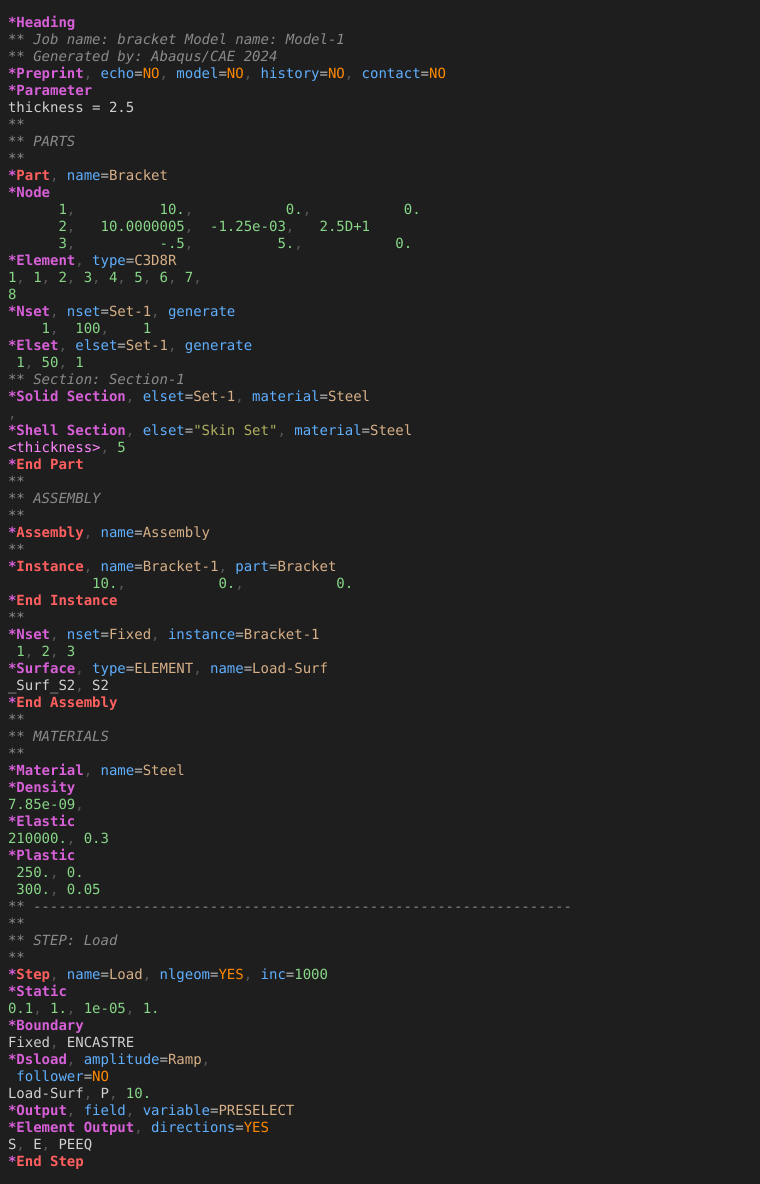
(.inp, .inc, .incl) to the Zed editor: syntax highlighting, an outline of the model, Vim text objects and snippets,
built on a new Tree-sitter grammar. It helps you read and edit input decks; it doesn't run
Abaqus and doesn't need an Abaqus installation.
- Linux
- macOS
- Windows
Features
- Syntax highlighting for comments,
*Keywords, parameter names and values,YES/NOflags, numbers (including Fortran-style2.5D+1), strings,<parameter>references and data lines - Structural keywords stand out:
*Part,*Assembly,*Instance,*Stepand their*Endlines get their own colour - Outline of parts, assemblies, instances and steps, nested, and every named definition: materials, sets, surfaces, amplitudes and more
- Vim motions and text objects:
]]/[[jump between parts, instances and steps;]m/[mbetween keyword blocks;afselects a whole block,ifonly its data lines - 67 snippets: type
*and a keyword such asnode,material,staticorcontact pair; Tab moves through the fields - Comment toggling with
Ctrl+/, using** - Large files: a 28 MB, 550,000-line mesh parses in a few seconds in the background, with highlighting on
- Free and open source under the MIT licence; source, grammar and tests on GitHub
Install
The extension isn't in Zed's extension registry yet, so you install it from the GitHub repository as a dev extension. You need Zed and git; Zed compiles the grammar itself.
1. Clone the repository
Anywhere you like; Zed reads the extension from this folder.
2. Install it in Zed
Open the command palette (Ctrl+Shift+P, or Cmd+Shift+P on macOS),
run zed: install dev extension and choose the zed-abaqus folder. After a
moment, Abaqus appears on the Extensions page.
3. Open an input file
Open an .inp file; the status bar should say Abaqus. To update later, run
git pull in the folder and press Rebuild on the Extensions page.
# get the extension
$ git clone https://github.com/QutritLogic/zed-abaqus.git

# update it later, then Rebuild in Zed
$ cd zed-abaqus && git pull
Source code and documentation
Troubleshooting, recolouring, known limits and how to change the grammar are in the README on GitHub. Issues and pull requests are welcome there.